
Download Basecamp – Powerful Project Management Tool for Teams
Overview
Basecamp is a cloud‑based project management application designed for entrepreneurs, freelancers, and small‑to‑mid‑size companies that need a clean, organized workspace without the clutter of endless email threads. The platform consolidates to‑do lists, milestone tracking, file sharing, and real‑time messaging into a single dashboard that can be accessed from any web browser or mobile device. What sets Basecamp apart is its focus on simplicity: you can spin up a new project, invite collaborators, and start assigning tasks in under five minutes.
The free tier lets you experiment with a single project, making it an ideal sandbox for teams that want to test the waters before committing to the paid plan, which starts at $24 per month for unlimited projects and advanced features. Because it is web‑native, there is no need for complex installations or server maintenance, and updates are rolled out automatically, keeping the software secure and current. Whether you’re coordinating a product launch, managing a client redesign, or organizing internal operations, Basecamp offers a straightforward, secure environment that reduces the overhead of traditional project management tools.
Core Features
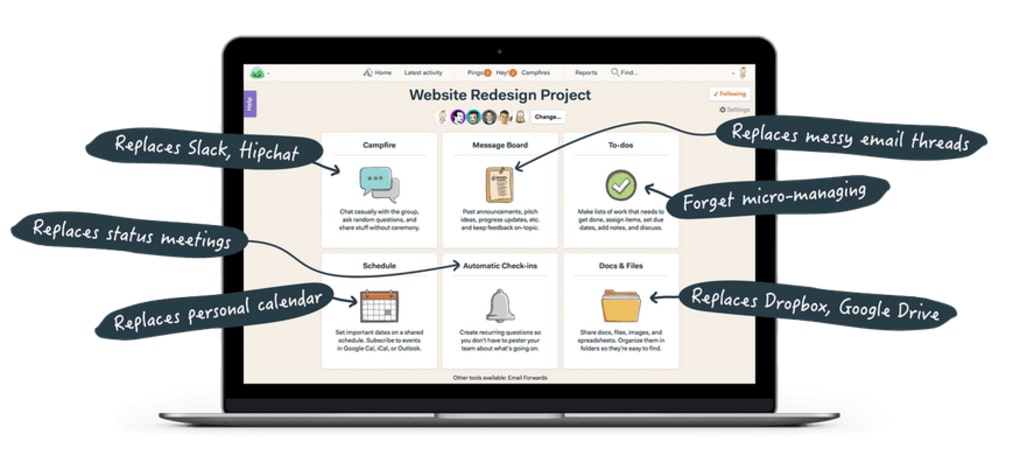
- To‑Do Lists & Milestones: Create task lists with due dates, assign responsibilities, and track progress with visual checkmarks.
- Message Boards: Centralized discussion threads keep conversations organized and searchable.
- File Storage & Docs: Upload files, share documents, and collaborate on text editors directly within each project.
- Automatic Check‑Ins: Scheduled prompts collect status updates from team members without extra meetings.
- Real‑Time Chat (Campfire): Quick, informal chat rooms for instant communication.
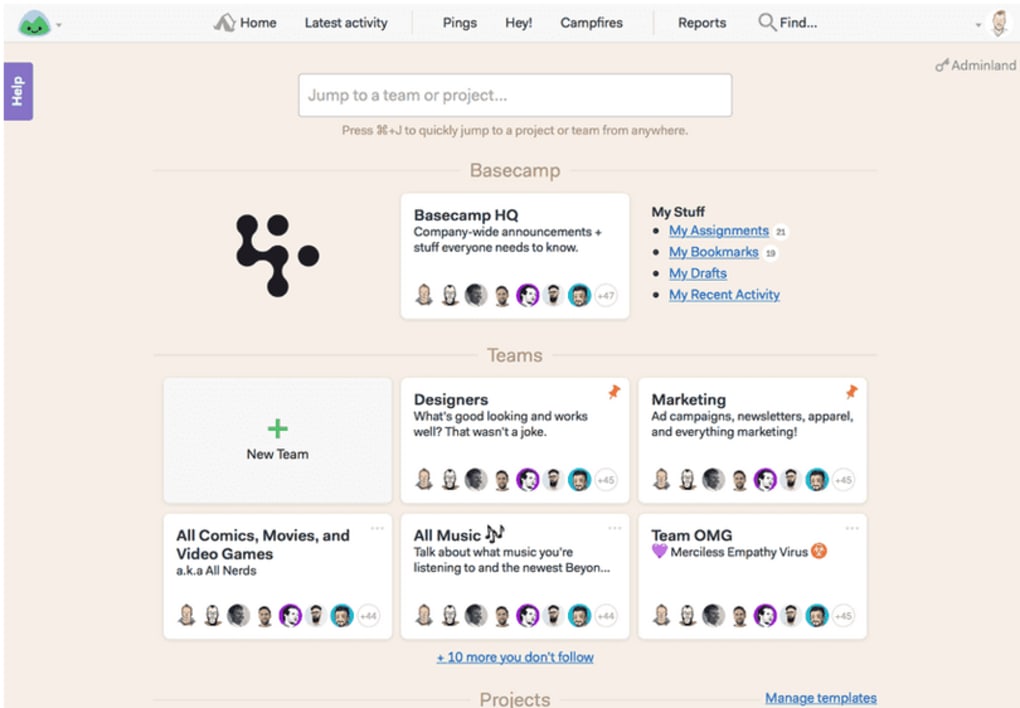
- Project Dashboard: At‑a‑glance view of all active projects, upcoming deadlines, and recent activity.
- Time‑Tracking Integration: Connect third‑party time‑tracking apps to monitor billable hours.
- Secure Access Controls: Role‑based permissions ensure only authorized users can view or edit sensitive information.
- Cross‑Platform Availability: Native apps for Windows, macOS, iOS, and Android deliver a consistent experience.
- Unlimited Projects (Paid Plans): Scale effortlessly as your organization grows.
Each feature is purpose‑built to eliminate the need for multiple disjointed tools. For example, the Message Boards replace long email chains, while the To‑Do Lists double as simple Gantt‑style planners. The result is a unified workspace where every stakeholder can see what needs to be done, who is responsible, and when it’s due—all without leaving the platform. Basecamp also emphasizes transparency; all activity is logged and searchable, which is especially valuable for compliance audits or client reporting. By bundling these capabilities into a single subscription, Basecamp delivers a cost‑effective alternative to enterprise‑level suites that often charge per user or per module.
Installation & Compatibility
Getting Started – Web and Desktop
Because Basecamp is a SaaS solution, there is no traditional installation process on a desktop computer. Simply navigate to basecamp.com, click “Sign Up,” and follow the on‑screen prompts to create an account. After confirming your email, you’ll be taken to the onboarding wizard where you can set up your first project, invite team members, and choose your preferred notification settings.
For users who prefer a native client, Basecamp offers downloadable desktop apps for both Windows and macOS. The apps can be installed by downloading the installer from the “Apps” section of your account settings, running the file, and logging in with your existing credentials. Updates are applied automatically, ensuring you always have the latest security patches and feature enhancements.
Mobile Experience
Basecamp’s mobile apps are available on iOS and Android. Search “Basecamp” in the Apple App Store or Google Play Store, install the app, and sign in with the same email address you use for the web version. The mobile interface mirrors the desktop dashboard, allowing you to create tasks, comment on messages, and upload files while on the go. Offline support is limited, but any changes made while disconnected are synchronized once you regain internet access.
Operating System Support
Basecamp is compatible with all modern operating systems that support a contemporary web browser, including Windows 10/11, macOS 10.15 (Catalina) or later, Linux distributions (via Chrome, Firefox, or Edge), iOS 13+, and Android 8.0+. Because the core product runs in the cloud, there are no OS‑specific performance concerns, and the platform adheres to industry‑standard encryption (TLS 1.2) for data in transit.
For organizations with strict IT policies, Basecamp also supports Single Sign‑On (SSO) via SAML 2.0, enabling seamless integration with Azure AD, Okta, or Google Workspace. This feature is available on paid plans and helps maintain consistent user provisioning across your tech stack.
Pros & Cons
Advantages
- Intuitive, low‑learning‑curve interface reduces onboarding time.
- All‑in‑one workspace eliminates the need for separate messaging, file‑sharing, and task‑management tools.
- Transparent activity log improves accountability and auditability.
- Flexible pricing model with a free tier for small teams.
- Robust cross‑platform support (web, desktop, mobile).
Drawbacks
- Lacks advanced Gantt‑chart visualizations found in some competitors.
- Limited native time‑tracking; relies on third‑party integrations.
- Free plan restricts you to a single project, which may not suit growing teams.
- No built‑in Kanban board, although workarounds exist via custom lists.
- Customization options for branding and UI are minimal.
Overall, Basecamp delivers a balanced mix of simplicity and functionality, making it an excellent choice for small to medium teams seeking a secure, cloud‑based project hub.
Frequently Asked Questions
Is Basecamp truly free for one project?
Yes. The free tier allows unlimited users but limits you to a single active project, which is ideal for testing the platform before upgrading.
Can I integrate Basecamp with other tools like Slack or Google Drive?
Absolutely. Basecamp offers native integrations with Slack, Google Drive, Dropbox, and many other services via Zapier, allowing you to streamline workflows across your favorite apps.
How secure is my data on Basecamp?
Basecamp uses industry‑standard TLS encryption for data in transit and stores information on encrypted servers compliant with SOC 2 and ISO 27001 standards.
Do I need a credit card to start the free trial?
No. You can create a free account without providing payment information. A credit card is only required when you decide to upgrade to a paid plan.
Is there a limit on file size uploads?
Free accounts allow files up to 500 MB per upload, while paid plans increase this limit to 5 GB, ensuring you can share large assets like design mockups or video clips.
Conclusion & Call to Action
Basecamp’s blend of simplicity, security, and cross‑platform accessibility makes it a compelling choice for teams that value clarity over complexity. While power users may miss advanced reporting or Kanban views, the core set of features—task lists, message boards, file storage, and real‑time chat—covers the essential needs of most small to medium projects. If you’re tired of juggling emails, spreadsheets, and disparate collaboration tools, give Basecamp a try. Start with the free single‑project plan to experience the intuitive dashboard, then upgrade to the $24/month tier when you need unlimited projects and premium integrations.
Download Basecamp now and see how a clean, well‑organized workspace can transform the way your team works.



.png)



